
SEE Result 2082 2083: National Examination Board (NEB) has published the SEE Result 2082 2083 for Class 10 on 28th Baisakh 2083 (11th May 2026) at the official websites result.see.gov.np and www.neb.gov.np. Students of Class 10 can check their result from the direct link shared in the article below. Scroll through this page to get the direct link and steps to download your SEE result.
SEE Exam Result 2082 2083
Out of the total students, more than 5 lakh students appeared for the SEE final Class 10 exams. NEB does not release a topper list for SEE results. Students need their symbol number and date of birth to check their Class 10 result. The SEE Class 10 examination was conducted from 19th Chaitra 2082 (2nd April 2026) to 29th Chaitra 2082 (12th April 2026).
Class 10 SEE Result 2082/2083 National Statistics
The National Examination Board has released the national statistics for the Class 10 SEE Result 2082/2083. According to the result data, a total of 430,667 students were included in the SEE result record. Out of them, 284,160 students passed, while 146,507 students received NG. The overall pass percentage of the Class 10 SEE Result is 65.98%.
The highest number of students secured GPA between 2.80 to below 3.20, with 94,222 students in this grade group. Similarly, 80,372 students scored GPA between 3.20 to below 3.60, and 42,892 students scored GPA between 3.60 to below 4.00. These figures show the national GPA distribution of SEE Class 10 students.
| S.N. | Grade Group | Total Students |
|---|---|---|
| 1 | GPA 1.60 To < 2.00 | 7 |
| 2 | GPA 2.00 To < 2.40 | 5,190 |
| 3 | GPA 2.40 To < 2.80 | 55,777 |
| 4 | GPA 2.80 To < 3.20 | 94,222 |
| 5 | GPA 3.20 To < 3.60 | 80,372 |
| 6 | GPA 3.60 To < 4.00 | 42,892 |
| 7 | NG | 146,507 |
| Total | 430,667 |
Class 10 SEE Result Summary: Total passed students: 284,160, total NG students: 146,507, total students: 430,667, and overall pass percentage: 65.98%.
Class 10 Result 2083
National Examination Board has announced the SEE result for Class 10 on 28th Baisakh 2083 (11th May 2026) through the official websites. NEB has also published overall statistics such as pass percentage, GPA details, and other important information along with the result.
| Board Name | National Examination Board |
| Exam Name | Secondary Education Examination (SEE) |
| Classes | 10th Class |
| Result Name | SEE Result 2082 2083 |
| Academic Session | 2082 2083 |
| Category | Result |
| SEE 10th Result Date | 28th Baisakh 2083 (11th May 2026) |
| Result Mode | Online |
| Credential Required | Symbol Number Date of Birth |
| Official Result website | see.gov.np |
How to Check The SEE Result 2082 2083 Class 10?
If you’re waiting for your SEE Class 10 result, there are multiple ways to check it. While the official NEB and NTC websites may experience heavy traffic or loading issues, you can also use alternative modes such as SMS, IVRS, or digital platforms to check your result. Each method has its own set of instructions, which you can follow below.
| S.N. | Firm / Institution Name | Website |
|---|---|---|
| 1 | Examination Control Office Class 10, Sanothimi | www.see.gov.np |
| 2 | National Examination Board, Sanothimi | www.neb.gov.np |
| 3 | Nepal Telecom | www.see.ntc.net.np |
| 4 | Kantipur Publications Ltd. | www.ekantipur.com |
| 5 | Edusanjal Pvt. Ltd. | www.see.edusanjal.com |
How to Check SEE Result 2082 2083 Through SMS
The Secondary Education Examination also provides the option of checking the result through SMS. The process for students to get their Class 10 result with marksheet through text message is as follows:
- Open your phone’s messaging app.
- Type SEE space Symbol Number and send it to 1600 or 35001
- Wait for a few seconds until you receive a message from NTC or Sparrow SMS containing your result.
| S.N. | Firm / Institution Name | Service Details | Shortcode |
|---|---|---|---|
| 1 | Nepal Telecom | SMS / USSD / IVR | 1600 |
| 2 | Janaki Technology Pvt. Ltd. | SMS | 35001 |
| 3 | Ambition Guru Pvt. Ltd. | SMS | 31061 |
| Type SEE<space>Symbol Number | Send to 1600 |
| Example SEE 230932902Q | Send it to 1600 |
Steps to Check Your SEE Class 10 Result 2083
Step 1: Go to the official result websites – result.see.gov.np, neb.gov.np/result, see.ntc.net.np
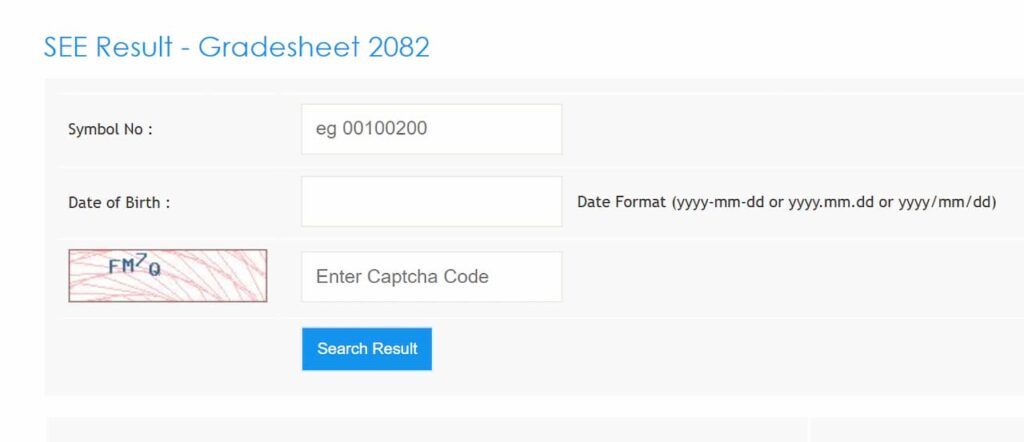
Step 2: Enter your SEE symbol number and date of birth as it appears on your admit card and click on the Get SEE Results button.
Step 3: Your SEE 10th result and marksheet will be displayed instantly.
Step 4: Take a printout of your SEE Class 10th result for future reference.
How to Check The Class 10 SEE Result 2083 through Call or IVRS
To check the Secondary Education Examination result through call or IVRS, follow the steps below:
- Dial the official NEB result IVRS number, which is 1600.
- Follow the instructions provided through the IVRS to get your result.
- Provide your symbol number and other required details when prompted by the IVRS.
- The system will then provide your Class 10th result via call, including your subject-wise grades and GPA.
- Take note of your result and save it for future reference.
Details Mentioned in Your SEE 10th Marksheet
On the SEE 10th result, you will find the following details.
- Student’s Name
- Symbol Number
- Date of birth
- Father’s Name
- Mother’s Name
- School/Institution name
- Subject-wise grade obtained
- Total CGPA obtained
- Result status
- Overall performance
- Examination session
- Board’s official seal or stamp
- Signature of the authorized personnel
| Result Link 1 | Check here |
| Result Link 2 | Click here |
Frequently Asked Questions (FAQs)
What is the NEB SEE Exam Date 2082?
The NEB Secondary Education Examination started on 19th Chaitra 2082 (2nd April 2026) and concluded on 29th Chaitra 2082 (12th April 2026).
What is the SEE Result 2082/2083 date?
After the completion of the SEE Class 10 exams, the result has been published on 28th Baisakh 2083 (11th May 2026).
How can I apply for re-checking for my SEE result?
Students willing to get their results re-checked should follow the official notice from the Office of the Controller of Examination or contact their school for guidance.
How to check SEE results through mobile SMS?
To check the result through SMS, type SEE followed by your symbol number and send it to 1600.