
Class 12 Result 2083: The National Examination Board (NEB) officially published the Class 12 Result 2083 on 19 June 2026 (Asar 5, 2083). Students who appeared in the Class 12 examination can check their results through the official NEB and Nepal Telecom result websites at result.neb.gov.np, neb.gov.np/result, and neb.ntc.net.np.
Students need their symbol number and date of birth to view the detailed online grade sheet. The NEB conducted the Class 12 examination from 14 Baisakh 2083 (27 April 2026) to 27 Baisakh 2083 (10 May 2026). Results can also be checked through SMS, IVR, and USSD services.
Class 12 Result 2083 Summary
The National Examination Board officially published the annual Class 12 examination results on Asar 5, 2083. A total of 4,18,170 candidates appeared in the examination, including 3,32,241 regular candidates and 85,929 partial candidates.
Among the regular candidates, 2,31,770 received grades in all subjects, resulting in a pass percentage of 69.75%. Among the partial candidates, 36,420 received grades, with a pass percentage of 42.38%. The combined pass percentage for regular and partial candidates was 64.13%.
Class 12 Result 2083 Highlights
| Authority | National Examination Board (NEB) |
| Name of the Result | Class 12 Result 2083 |
| Examination Type | Annual Board Examination |
| Examination Mode | Offline |
| Academic Session | 2082/83 |
| Result Year | 2083 BS / 2026 AD |
| Result Mode | Online, SMS, IVR, and USSD |
| Exam Date | 14 Baisakh to 27 Baisakh 2083 |
| English Exam Date | 27 April to 10 May 2026 |
| Result Status | Published |
| Result Date | Asar 5, 2083 |
| English Result Date | 19 June 2026 |
| Regular Candidates | 3,32,241 |
| Partial Candidates | 85,929 |
| Total Candidates | 4,18,170 |
| Candidates Receiving Grades | 2,68,190 |
| Overall Pass Percentage | 64.13% |
| Official NEB Result Portal | result.neb.gov.np |
| NEB Result Notices | neb.gov.np/result |
| NTC Result Portal | neb.ntc.net.np |
How to Check Class 12 Result 2083 With Grade Sheet on neb.ntc.net.np
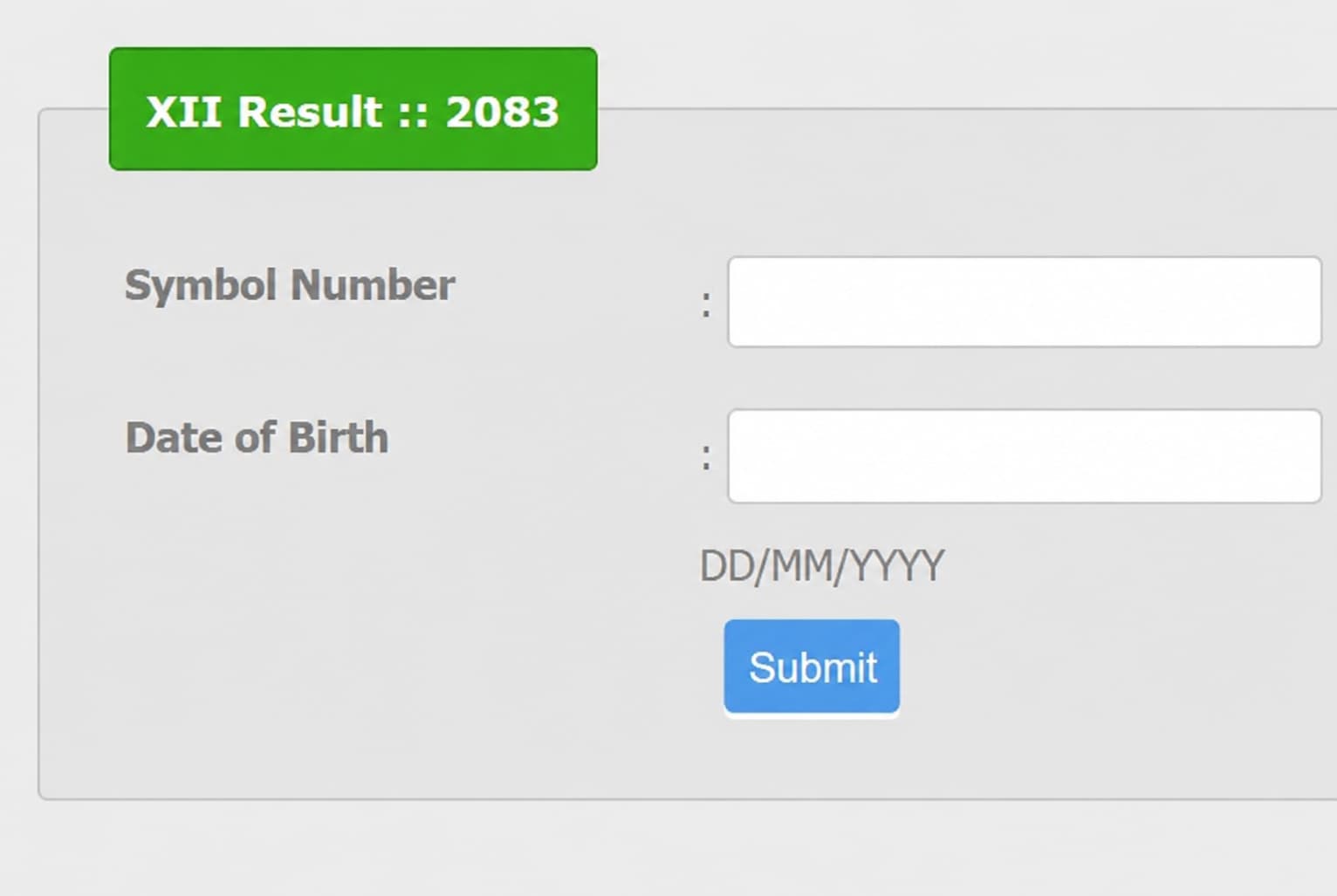
- Open the official Nepal Telecom result website at neb.ntc.net.np.
- Enter your symbol number in the required field.
- Enter your date of birth in the requested format.
- Click the Submit button.
- Your NEB Class 12 grade sheet will appear on the screen.
- Save, print, or take a screenshot of the result for reference.
The online grade sheet is provided for immediate information. It is not the original academic certificate. If any difference or technical error appears, the original record maintained in the NEB ledger will be considered valid.
How to Check Class 12 Result 2083 by SMS
Students can use the Nepal Telecom SMS service when the official result websites are slow because of heavy traffic.
- Open the SMS application on your mobile phone.
- Type
NEB <space> Symbol Number. - Send the message to 1600.
- You will receive your result information through SMS.
Example: Type NEB 12345678 and send it to 1600.
Check Class 12 Result Through IVR and USSD
Nepal Telecom also provides IVR and USSD services for checking the Class 12 result.
| Service | Number or Code |
|---|---|
| SMS | 1600 |
| IVR | Dial 1601 and follow the instructions |
| USSD | Dial *1600# and follow the instructions |
| Direct USSD | Dial *1600*SymbolNumber# |
NEB Class 12 Result 2083 Statistics
| Description | Regular | Partial | Total |
|---|---|---|---|
| Candidates who appeared | 3,32,241 | 85,929 | 4,18,170 |
| Examinations cancelled | 30 | 10 | 40 |
| Candidates receiving grades in all subjects | 2,31,770 | 36,420 | 2,68,190 |
| Pass percentage | 69.75% | 42.38% | 64.13% |
The examination results of 40 candidates were cancelled for violating examination rules and ethics. This included 30 regular candidates and 10 partial candidates.
Class 12 Result 2083 GPA Distribution
The following table shows the GPA-wise distribution of regular candidates:
| GPA Group | Number of Students |
|---|---|
| 3.61 to 4.00 | 17,786 |
| 3.21 to 3.60 | 64,821 |
| 2.81 to 3.20 | 94,249 |
| 2.41 to 2.80 | 50,597 |
| 2.01 to 2.40 | 4,308 |
| 1.61 to 2.00 | 9 |
| NG – Not Graded | 1,00,471 |
| Total | 3,32,241 |