
See.ntc.net.np 2082 Result Direct Link: The National Examination Board (NEB) has published the SEE Class 10 Result 2082/2083 on 28th Baisakh 2083 (11th May 2026). Students who appeared in the NEB Class 10 exam held from 19th Chaitra 2082 to 29th Chaitra 2082 can now check their results online through the official Nepal Telecom result portal, see.ntc.net.np. To view the result, students need their symbol number and date of birth.
| S.N. | Grade Group | Total Students |
|---|---|---|
| 1 | GPA 1.60 To < 2.00 | 7 |
| 2 | GPA 2.00 To < 2.40 | 5,190 |
| 3 | GPA 2.40 To < 2.80 | 55,777 |
| 4 | GPA 2.80 To < 3.20 | 94,222 |
| 5 | GPA 3.20 To < 3.60 | 80,372 |
| 6 | GPA 3.60 To < 4.00 | 42,892 |
| 7 | NG | 146,507 |
| Total | 430,667 |
The SEE result is available online after the official announcement by NEB. Students can check their marksheet, GPA, and subject-wise grades from the result portal. This article includes the direct result link, SMS method, IVR process, and step-by-step guide to check the SEE Class 10 result with marksheet.
See.ntc.net.np 2082 Result
The National Examination Board has completed the annual board examination of Class 10 and has now published the See.ntc.net.np Result 2082/2083. Students can check their SEE result online from 28th Baisakh 2083 (11th May 2026). The result was released after the evaluation, data entry, and verification process was completed by the board.
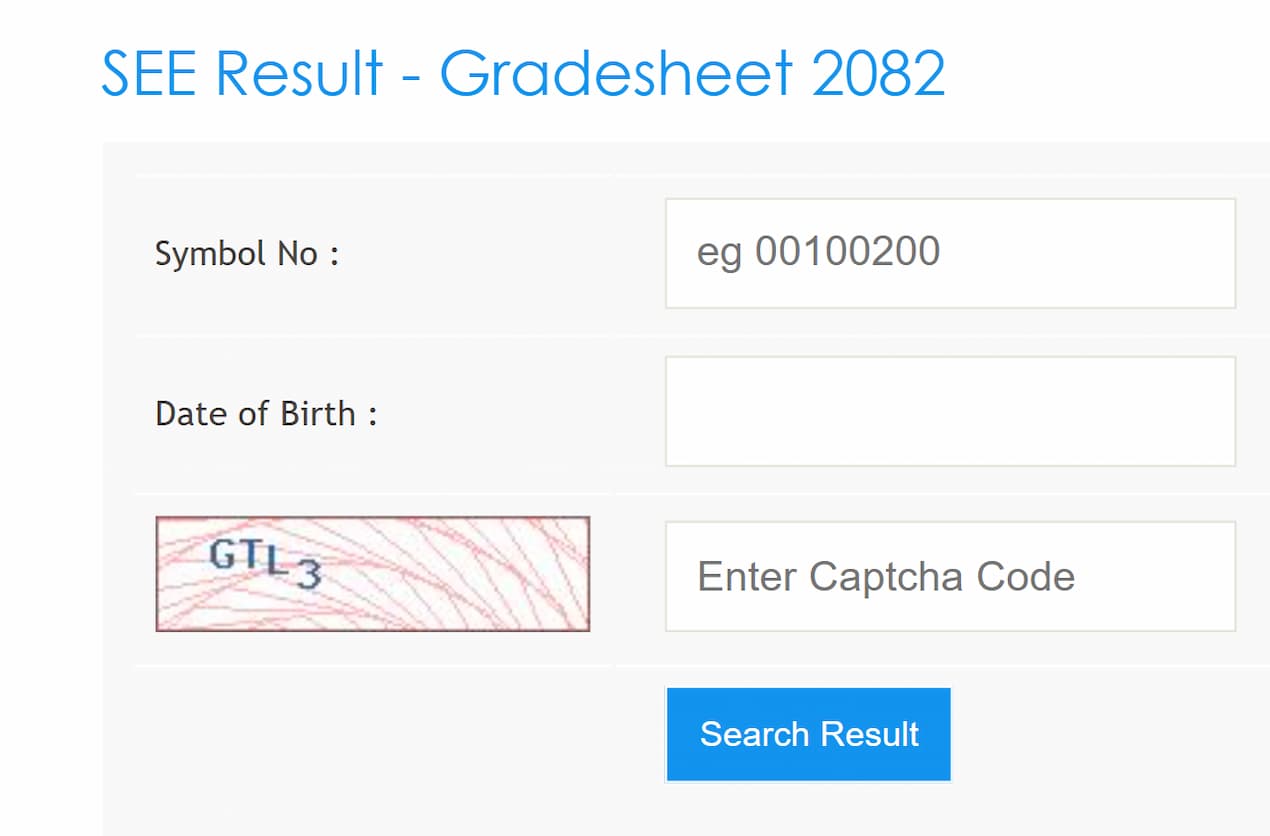
The see.ntc.net.np 2082 result is available on Nepal Telecom’s official result website. Students can also visit see.gov.np and neb.gov.np for official result updates and notices from the National Examination Board.
NTC SEE Result 2082 Update
Students should use only official or authorized result websites to check the SEE result. NEB and Nepal Telecom provide reliable online result services for Class 10 students. Below are some important websites where students can check result updates and marksheet details.
| Office of the Controller Examination | see.gov.np |
| National Examination Board Sanothimi | neb.gov.np |
| Nepal Telecom | see.ntc.net.np |
| Kantipur Publication | ekantipur.com |
| Khalti | khalti.com |
About SEE Result 2082 Highlights
| Authority | Office of the Controller Examination |
| Name of the exam | SEE Examination |
| Examination Type | Board Examination |
| Examination Mode | Offline |
| Session | 2082-2083 |
| Result Mode | Online |
| Exam Date | 19th Chaitra 2082 (2nd April 2026) to 29th Chaitra 2082 (12th April 2026) |
| Result date | 28th Baisakh 2083 (11th May 2026) |
| Official Website | see.ntc.net.np |
see.ntc.net.np 2082 Result With Marksheet
The SEE result has been published according to the grading system. Students can check their subject-wise grades, GPA, and result status through the online marksheet. The online copy is useful for quick reference, while the original marksheet should be collected from the respective school.
Students who appeared in the examination can check the see.ntc.net.np result with marksheet after entering the required details. If the website is slow due to heavy traffic, students can try again later or use SMS and IVR services.
How to check the Class 10 Result via SMS
Follow the steps given below to check your SEE Result 2082 Class 10 through SMS.
Step 1: Open the SMS application on your mobile phone.
Step 2: Type the SMS – SEE <Symbol number> in the message box.
Step 3: Send it to the number 1600.
Step 4: The SEE result 2082 Class 10 will be received through SMS within a few seconds after the request is processed.
Steps To Check SEE Result 2082 With Marksheet on see.ntc.net.np
- Open the official Nepal Telecom SEE result website: see.ntc.net.np
- Find the SEE Result 2082/2083 result section on the homepage.
- Enter your symbol number in the required field.
- Enter your date of birth if asked by the result portal.
- Click on the submit button to view your result.
- Your SEE result with marksheet, GPA, and subject-wise grades will appear on the screen.
- Download or print the online marksheet for future reference.